
Why Your Business Needs Tally on Cloud in 2026: Access Your Data Anywhere, Anytime, Securely

The Issue No One Discusses in Tally Deployments
Picture your client calling in, they need a GST report urgently for a meeting tomorrow morning. Your accountant is at home, your Tally is installed on one desktop in the office, and the office is locked
It’s so avoidable. Not with expensive infrastructure. Not by hiring more people. Simply by moving your Tally to cloud.
I have seen the same pattern across dozens of businesses, from textile traders in Surat to FMCG distributors in Delhi. Companies adopt Tally Prime, use it well, and then hit a wall as their business needs flexibility. It’s strong software. The deployment model is the problem.
TallyStack delivers secure, cloud-hosted Tally access for modern businesses, making remote work, collaboration, and business continuity effortless in 2026.”
What Exactly Is Tally on Cloud And How Does It Work?
Before we get into the reasons, I want to explain what Tally on Cloud actually is because a lot of people are confused about it.
Tally on Cloud is not a version of Tally. Your Tally Prime or Tally ERP 9 is still the same. The interface is the same the Tally Prime shortcut keys are the same. The Tally ERP 9 shortcut keys you have learned over the years are also the same. The only difference is where Tally on Cloud runs.
Of running on a computer in your office or on a server in your building Tally on Cloud runs on a very powerful cloud server that is taken care of by a company that specializes in this. You can access Tally on Cloud from any device you want like a Windows laptop a MacBook, a tablet or even your phone using something called Remote Desktop Connection.
Think of Tally on Cloud like a car. The engine of the car is, in one place, which’s the cloud but you can drive the car from anywhere you want.
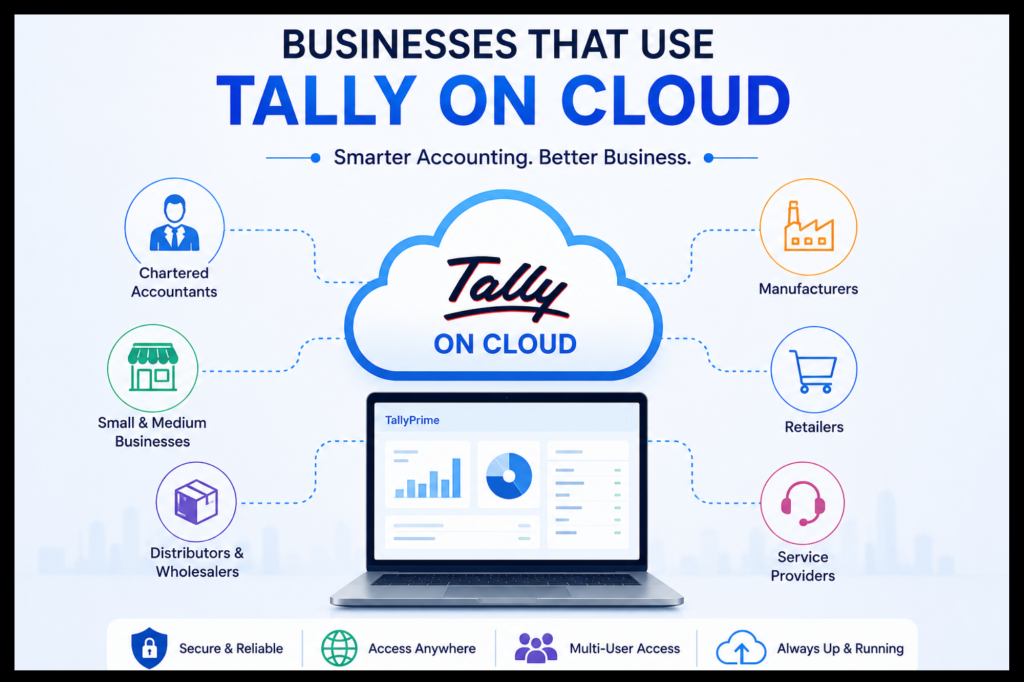
Let me be practical here. Tally on Cloud isn’t for everyone, but it fits a surprisingly wide range of business profiles.
Who Should Be Looking at Tally on Cloud in 2026?
Multi-Branch Businesses
Managing Tally across multiple branches is simple with Tally on Cloud. All your business data stays on one secure server, allowing every location to access the same information in real time. This improves accuracy, reduces manual work, and keeps your teams connected.
Businesses With Remote or Hybrid Teams
Post-2023, the “everyone works from the office” model has become less common in accounting teams. Senior accountants often want flexibility. Junior staff may be working from satellite locations. With Tally on Cloud, every authorized user gets the same full-featured experience regardless of where they’re sitting, with all tally all shortcut keys, TDL customizations, and data access intact.
Mac Users Who Need Tally
Tally does not have a version that works directly on Mac computers.
Mac users can still use Tally on Cloud.
They can access the Windows version of Tally securely through Remote Desktop.
This way they do not need a Windows computer or complicated software.
It makes using Tally on any MacBook or iMac easy.
They can simply use Tally on Cloud, with Remote Desktop.
Businesses With Seasonal Workload Spikes
GST filing deadlines. Financial year closings. Audit seasons. If your accounting workload doubles during specific periods, cloud infrastructure lets you scale users up and then scale back down, something completely impossible with on-premise hardware.
Startups and Small Businesses Watching Costs
A dedicated server for Tally with proper IT management can cost ₹15,000–₹30,000 per month when you factor in hardware, maintenance, and personnel. User-based Tally on Cloud plans start at ₹400 per month. For a startup managing its first few hundred transactions, this cost-effectiveness is a genuine competitive advantage.
Why Businesses Are Switching to Tally on Cloud
1. Business Continuity That Actually Works
A mid-sized trading firm in Pune lost three weeks of Tally data when their office server got damaged in a power surge. Their last backup was two weeks old. This caused a lot of operational problems.
When you use cloud infrastructure, backups are done every day automatically without anyone having to do it. Most big companies that provide this service keep copies of your data in multiple locations, so even if one place has issues, you can still get to your data from another place. This is not about being prepared for disasters; it is about making sure your business keeps running smoothly.
2. Security That Small and Medium Enterprises Cannot Build On Their Own
There is a growing threat of ransomware attacks on accounting data. If you have Tally installed on your servers, you are vulnerable to attacks. If one employee clicks on an email attachment, your entire Tally database can be locked.. When you use cloud deployments, your data is protected by firewalls, separate user accounts, regular security updates, and antivirus software managed by the cloud provider. Your Tally ERP data is safe because it is protected by a system that would cost a lot of money to build on your own. Cloud providers have Tally security that small and medium enterprises cannot build internally, so Tally security is taken care of.
3. No More “Call the IT Guy” Culture
How much time does your team spend dealing with Tally installation issues, license activation problems, or server maintenance? Cloud providers handle all of this as part of their service. 24/7 expert support means that if something breaks at 11 PM before a critical filing deadline, you have professionals working on it immediately, not waiting until your IT vendor opens on Monday morning.
4. Tally Prime Shortcut Keys and Workflow Efficiency Uninterrupted
One concern I hear from accountants is: “Will my shortcuts still work?” Absolutely yes. Every tally prime shortcut keys list entry, every tally prime all shortcut keys configuration, every tally shortcut keys PDF you’ve bookmarked, all of it works identically on cloud. The cloud is just the delivery mechanism; the application remains unchanged. Refer to your Tally ERP 9 shortcut keys or Tally Prime shortcut keys PDF, just as you always have, the learning curve here is zero.
5. Print Reports From Anywhere
Remote printing is a feature that surprises people. Many cloud Tally setups allow you to print reports directly to your local printer, even though Tally is running on a remote server. You generate the voucher in Tally on Cloud, and it prints on the printer in your office or home seamlessly.
Understanding Tally on Cloud Pricing: What You Actually Pay
Let me demystify the pricing landscape, because this is where many businesses make uninformed decisions
User-Based Cloud Plans
These are environments that people share. A lot of businesses use the servers. This is good for teams with a few people like one to five users. These plans usually give you all the storage you need to back up your stuff every day, and the cloud environments are working all the time. You can get these environments from companies like Tallystack for around ₹400 per month per user. This is like what you pay for a plan every month. Cloud environments from companies, like Tallystack, are an option.
A virtual machine dedicated to your business, not shared with others. Typically includes 50GB SSD storage, superior performance for mid-size teams of 5–25 users, and more granular control over configurations. Starting around ₹3,250/month, this is the sweet spot for most growing SMEs.
Big companies with lots of people working together need a system. If you have than 25 people using the system at the same time and you need a lot of space to store your information then you should consider Enterprise-grade dedicated infrastructure. This will cost you around ₹10,500 per month. You will get the kind of performance as a server in your own office but you will also be able to access it from anywhere because it is on the cloud. Somebody will also take care of maintaining the system for you.
For businesses that do lots of complicated work like keeping track of inventory and payroll and handling accounts, for many branches, Enterprise-grade dedicated infrastructure is the way to go.
Tally Shortcut Keys That Work Seamlessly on Cloud
These shortcuts work the same whether you are running Tally on your computer or, on the cloud.
Alt+F1 — Detailed/Condensed view toggle
Alt+F2 — Change period
Ctrl+A — Accept form/screen
Ctrl+G — Go to (navigate to any feature)
Ctrl+Q — Quit without saving
F2 — Change date
F4 — Contra voucher
F5 — Payment voucher
F6 — Receipt voucher
F7 — Journal voucher
F8 — Sales voucher
F9 — Purchase voucher
F10 — Reversing journal
Alt+C — Create master
Alt+I — Insert voucher
Alt+D — Delete voucher
Tally Prime Shortcut Keys (Updated for Prime)
Alt+G — Go To (replaces F11 in many contexts)
Ctrl+I — More details
Alt+K — Company features
Ctrl+H — Change view (in reports)
Alt+J — Exception reports
Ctrl+B — Budget & scenarios
Alt+F5 — Multi-column report view
Ctrl+F — Filter data in reports
Ctrl+Alt+B — Backup company data
Alt+M — Email report directly
Ctrl+P — Print current screen
F12 — Configuration settings for current screen
For a complete tally prime shortcut keys list or the full tally prime all shortcut keys pdf, Tally Solutions’ official documentation remains the authoritative reference. The tallystack approach to cloud deployment ensures none of these shortcuts lose functionality.
How to Choose the Right Tally on Cloud Provider
1. Check your Tally data first. Before moving, do a Tally audit to find any data problems. Cleaning up your data helps it move smoothly. Messy data causes problems when moving.
2. Don’t skimp on internet speed. Tally on Cloud works with broadband, but for teams with 10 or more users, a special internet line or business broadband with at least 10 Mbps upload and download speeds works much better.
3. Check if your TDL customizations work before moving. If you use custom TDL for payroll, billing or special modules, make sure they work with the cloud provider’s system before moving.
4. Try the demo before buying. Good providers offer trials. Use this time to test not speed but also how it works with your actual tasks, multiple users, reports, and printers.
5. Know your data rights. A trustworthy provider will sign a -disclosure agreement and clearly state that your Tally data belongs to you.
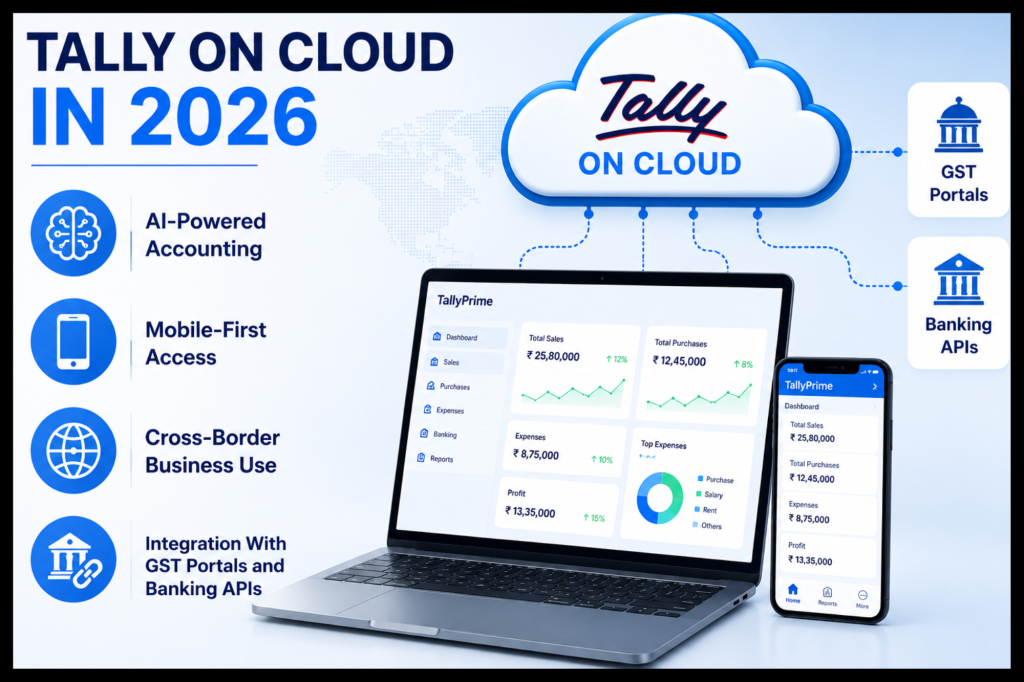
Future Trends: Where Tally on Cloud Is Headed Through 2026–2027
The evolution here is accelerating. A few developments worth watching:
AI-Assisted Accounting on Cloud Infrastructure
Tally Prime is already incorporating intelligent features for data entry validation and GST reconciliation. As these AI layers deepen, cloud deployment becomes more critical. AI processing benefits from the same compute resources that make cloud Tally fast and reliable.
Mobile-First Access
While Tally on Cloud today primarily uses RDP-based desktop access, the ecosystem is moving toward lighter mobile interfaces for report viewing and approval workflows. Businesses want CFOs to approve payment runs from their phones. Cloud architecture makes this technically feasible in a way that on-premise setups cannot
Cross-Border Business Use
Indian businesses with overseas operations, particularly in the UAE, Singapore, and the UK, are increasingly usingTally on Cloud with international access. Providers like Tallystack already support users in 10+ countries, and this global accessibility trend will intensify through 2027 as Indian businesses continue expanding internationally.
Integration With GST Portals and Banking APIs
Cloud-hosted Tally can integrate more fluidly with government portals and banking APIs for automated reconciliation. As India’s financial infrastructure becomes more API-driven, businesses running Tally on cloud infrastructure will benefit faster from these integrations than their on-premise counterparts.
Conclusion
Are you looking for a trusted Tally on Cloud service provider? TallyStack is simple with secure cloud hosting, plans starting from just ₹400/month, 24/7 expert support, and a free demo. TallyStack provides fast, reliable, and hassle-free service whether it’s Tally remote access, multi-user Tally on Cloud, or a secure hosting solution.
Trust your Tally on cloud with TallyStack and enjoy secure access to your business from anywhere.
Frequently Asked Questions
Q1: Do all my Tally shortcut keys work on cloud?
Absolutely. Since Tally runs on the cloud server exactly as it would on a local machine, every shortcut, whether from your Tally Prime shortcut keys PDF, your memorized Tally ERP 9 shortcut keys, or the complete Tally all shortcut keys list, functions identically. The cloud is invisible to the application; you interact with Tally exactly as before.
Q2: Can I use Tally on Mac with a cloud setup?
Yes, and this is one of the most compelling use cases. Since Mac natively doesn’t support Tally installation, cloud deployment via Remote Desktop Protocol is the most practical solution for Mac users who need Tally for Mac access. You connect to the cloud server from your MacBook, and Tally runs in a Windows environment on the cloud, visible and fully functional on your Mac screen.
Q3: What happens to my data if I stop using the cloud service?
This depends on your provider’s terms, but reputable providers will export your Tally data backup to you upon request or service termination. Always confirm this before signing up. Good providers maintain data portability as a standard practice and will provide your full Tally company data file in standard format so you can migrate or return to local installation.
Q4: How many users can simultaneously access Tally on Cloud?
This varies by plan. User-based shared cloud plans typically handle 5–15 concurrent users comfortably. VM-based plans scale to 20–40 users. Dedicated server plans appropriate for larger organizations can handle 80+ concurrent users. Your choice should be guided by peak concurrent usage, not just total employee count.
Q5: Is my existing Tally license compatible with cloud hosting?
Yes. Cloud providers supply the infrastructure; your existing Tally Prime or Tally ERP 9 license covers the software. One important advantage: a single multiuser Tally license is sufficient for up to 10 users across different locations when hosted on cloud, versus requiring separate licenses for each physical location in a traditional setup.