
How Will TallyPrime on Cloud Help with Digital Payments and Accounting?
The use of digital payments, online banking, remote accounting, and real-time financial reporting has revolutionized business operations. However, businesses find it difficult to cope with accounting data, banking transactions, and payment processes that are fragmented in different tools or systems or are limited to office computers only.
TallyPrime on Cloud can be used to solve this problem by providing cloud-based access to TallyPrime software in addition to accounting, banking, payment processing, collaboration, and remote work features. TallyPrime Cloud Access is aimed at providing users with the possibility of using TallyPrime in different locations and using different devices along with the access to business data in one place.
For business owners, accountants, CA firms, finance departments, and SMEs, such an approach will enable them to get more integrated and flexible business accounting and payment processes.
This article discusses how TallyPrime on Cloud works, what benefits companies may get, and what factors to consider before introducing cloud-based accounting practices.
What is Cloud Based TallyPrime?
Cloud TallyPrime is all about utilizing the TallyPrime application in a cloud environment as opposed to having your TallyPrime set up only on one computer.
With TallyPrime Cloud Access, you get access to the virtual cloud environment from which you are able to access your TallyPrime. As recommended by Tally Solutions, one might access his/her TallyPrime using either a browser or virtual client.
How Does TallyPrime on Cloud Work?
A simplified workflow looks like this:
TallyPrime is available within the cloud environment.
Business data is maintained in the hosted environment.
Authorized users log in remotely.
Accountants and finance teams can work on accounting activities.
Banking and payment-related information can be managed through TallyPrime’s connected features.
Business owners can access relevant financial information without always being physically present in the office.
This approach can be particularly useful for businesses with multiple branches, remote accountants, travelling business owners, or hybrid finance teams.
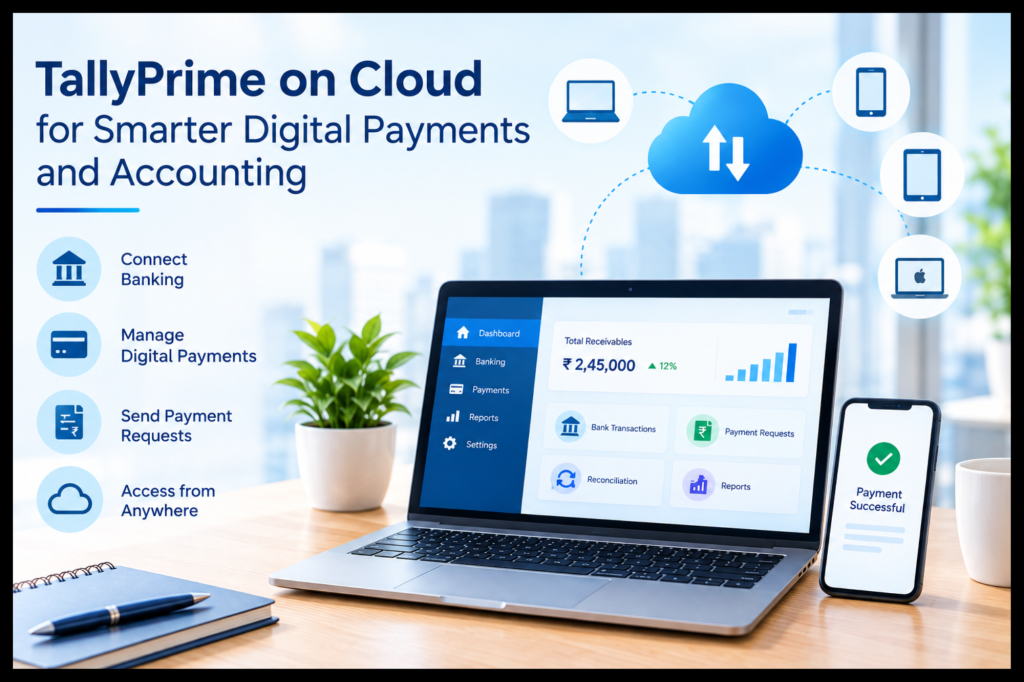
How Can TallyPrime on Cloud Simplify Digital Payments?
Management of digital payments includes far more than just receiving and sending funds. Companies must ensure that the transactions are recorded properly, follow the bank transactions, reconcile the payments, manage the accounts receivable and payable, etc.
- Connect Banking and Accounting Workflows
One of the biggest challenges for finance teams is switching repeatedly between accounting software and bank portals.
TallyPrime’s Connected Banking features allow supported bank accounts to be accessed from within TallyPrime, including balances and statements. It also provides bank reconciliation capabilities to help compare book transactions with bank transactions.
With TallyPrime on Cloud, authorized users can access this accounting environment remotely.
Example:
An accountant working from home can review bank transactions, update accounting records, and reconcile transactions without needing to physically access the office computer.
- Simplify Digital Payment Management
TallyPrime supports online payments for supported banks and payment workflows. Businesses can use digital payment capabilities to reduce dependence on manual payment processes.
Depending on the supported setup, businesses can manage activities such as
Supplier payments
Payment records
Bank-related transaction details
Payment status
Reconciliation
Receivables and payables
Payment requests
This can make TallyPrime payment management more structured because payment-related information remains connected to accounting records.
- Make Payment Requests Easier
Getting customers to pay on time is an important part of cash-flow management.
TallyPrime’s banking utilities include capabilities such as sending invoices with payment links or QR codes and using Payment Request features to help businesses collect payments from customers.
This will make the process more streamlined for those businesses that have a huge number of invoices to deal with.
Example
Imagine a wholesale distributor that creates hundreds of invoices for its customers on a monthly basis.
It would no longer be necessary to create separate invoices and send payment data manually, as well as update accounting records.
How TallyPrime on Cloud Improves Accounting Operations
Digital payments are just one part of the overall financial process. The real advantage comes when payment information works together with everyday accounting.
- Centralized Access to Accounting Data
Traditional accounting setups can become difficult when the accountant, business owner, and CA are working from different locations.
A cloud environment provides a common access point for authorized users.
For example:
Business owner → reviews reports
Accountant → records transactions
CA → reviews books
Finance team → checks banking activity
Instead of depending on one physical office computer, the team can work through the cloud environment.
Tally Solutions states that TallyPrime Cloud Access supports collaboration and allows multiple users to work with the same data remotely.
- Enable TallyPrime Remote Access
TallyPrime remote access is particularly useful for businesses where accounting work does not happen exclusively from the office.
Business owners may need access while travelling. Accountants may work from home. CA firms may need to review client accounts from their own offices. Finance teams may operate across different branches.
Cloud access can make these workflows more flexible.
TallyPrime Cloud Access supports access through a browser or virtual client, with platform support across Windows, Linux, and macOS through the available access methods.
Why TallyPrime Cloud Is Useful for CA Firms and Accounting Professionals
CA firms often manage accounting and compliance work for multiple clients. Accessibility, user management, data security, and collaboration therefore become important considerations.
For CA Firms
TallyPrime on Cloud can help CA teams:
Access client accounting environments remotely.
Coordinate work between accountants and senior professionals.
Review financial information without depending on a client’s physical computer.
Support remote and hybrid accounting teams.
Maintain centralized access to cloud-hosted accounting environments.
For Accountants
Accountants can benefit from:
Remote access to TallyPrime
Centralized accounting data
Easier collaboration
Banking and reconciliation workflows
Reduced dependency on a particular office computer
For Business Owners
Owners can potentially:
Check financial information remotely.
Monitor accounting activity.
Stay connected with finance teams.
Review business reports while travelling.
Coordinate with accountants and CA firms.
TallyPrime Cloud and Secure Accounting Access
Security is a critical consideration when financial information moves to a cloud environment.
Businesses should look for controls such as authentication, user access management, backups, and secure infrastructure.
TallyPrime Cloud Access includes dual-layer authentication using a Tally.NET ID and Secure PIN, while its cloud environment is hosted on Oracle Cloud Infrastructure, according to Tally Solutions.
It also provides backup-related capabilities through its Self-Service Portal.
What Should Businesses Check?
Before selecting any cloud accounting setup, evaluate:
User authentication
User access controls
Backup and restoration options
Data security
Cloud infrastructure
Internet connectivity requirements
Support and troubleshooting
Business continuity procedures
A cloud solution should not simply provide remote access; it should also provide an appropriate framework for protecting business information.
Cloud-Based Accounting for Remote and Hybrid Teams
Remote work has made physical location less important for many accounting activities.
A finance team may include:
An accountant working from home
A business owner travelling between branches
A CA working from another city
A finance manager at headquarters
A consultant working remotely
With cloud-based accounting, authorized users can access the same working environment instead of maintaining separate copies of accounting data.
This can help reduce duplicate data entry and improve coordination.
Example: Multi-Branch Business
Imagine a business operating from three locations.
The sales team generates transactions at Branch A. Inventory is managed at Branch B. The finance team operates from the head office.
If configured properly, the cloud will enable authorized access to the accounting system remotely from the finance department’s side.
This is particularly relevant for growing SMEs and businesses with distributed operations.
TallyPrime on Cloud vs. Traditional Local Access
| Area | Traditional Local Setup | TallyPrime on Cloud |
| Access | Primarily from configured systems | Remote cloud access |
| Location | Usually office-focused | Suitable for remote locations |
| Collaboration | May depend on local setup/network | Cloud environments support remote collaboration |
| Hardware | Local infrastructure required | Cloud-hosted infrastructure |
| Remote work | Can require additional arrangements | Designed for remote access |
| Data access | Dependent on local setup | Centralized cloud environment |
| Scalability | May require local infrastructure changes | Cloud plans can offer scalable resources. |
The right choice depends on the business’s size, working model, security requirements, internet connectivity, number of users, and accounting workflow.
How Businesses Can Get More Value From TallyPrime on Cloud
Moving accounting software to the cloud is not enough by itself. Businesses should also optimize their processes.
- Define User Roles
Provide access rights based on duties.
Such as:
Accountant → accounting entries
Finance manager → financial review
Business owner → reports and oversight
CA → audit and compliance review
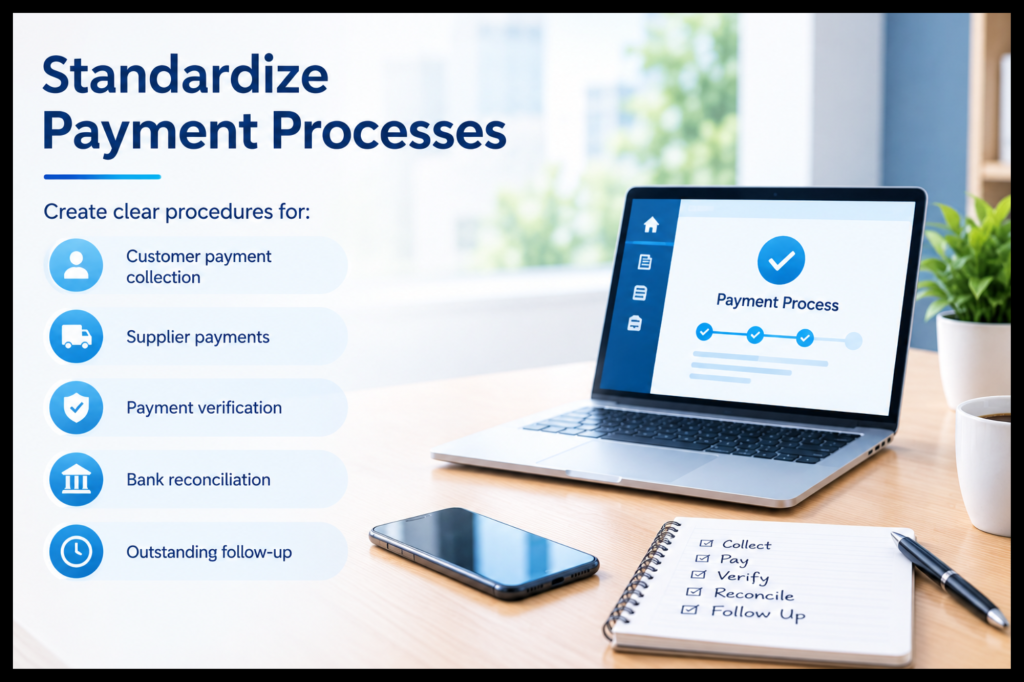
- Standardize Payment Processes
Create clear procedures for:
Customer payment collection
Supplier payments
Payment verification
Bank reconciliation
Outstanding follow-up
- Keep Backups Consistent
Though using cloud-based technology, organizations must know how to back up their data and restore it when needed.
- Train Users
Employees should understand:
Secure login practices
Payment workflows
Accounting procedures
User permissions
Data handling practices
- Review Reconciliation Regularly
Regular bank reconciliation can help identify differences between accounting records and bank transactions.
TallyPrime provides enhanced reconciliation capabilities designed to help businesses keep book transactions aligned with bank transactions.
Is TallyPrime on Cloud Suitable for Your Business?
TallyPrime on Cloud can be particularly relevant if your business:
Has remote accounting teams
Operates multiple branches
Needs access while travelling
Works with external accountants or CA firms
Handles frequent digital payments
Wants centralized accounting access
Needs flexible remote access
Wants to reduce dependency on office hardware
For businesses that primarily operate from one location and have no remote-access requirement, a local setup may continue to meet their needs.
The important point is to select an accounting environment based on actual business requirements rather than simply following a technology trend.
Key Benefits at a Glance
TallyPrime on Cloud can help businesses with:
Remote accounting access
Centralized financial data
Digital payment workflows
Online payment management
Bank reconciliation
Multi-location collaboration
Remote access for CA firms
Secure user authentication
Flexible work options
Reduced dependence on local hardware
Conclusion
The use of TallyPrime on Cloud may offer a more flexible method for modern accounting and payment management through integration of remote access, bank processing, online payments, and accounting processes on a cloud-based platform.
As far as business owners, accountants, CA firms, finance departments, and small to medium enterprises are concerned, the most significant benefit is the possibility of connecting accounting activities without being restricted to a particular location. The benefits offered by banking connectivity, e-payments, payment requests, reconciliation, remote access, and a cloud platform may make financial processes much more interconnected.
Nonetheless, companies need to consider cloud accounting with respect to its users, workflow, security needs, connectivity, and other aspects.
If there are proper approaches used, Tally Stack may assist in investigating a more flexible way of using TallyPrime on Cloud.
Frequently Asked Questions
- What is TallyPrime on Cloud?
TallyPrime on Cloud is an online system where TallyPrime can be accessed through a hosting system. This helps authorized users access TallyPrime from any location as opposed to being confined to one computer. TallyPrime Cloud Access is available through web and virtual clients.
- Can TallyPrime on Cloud help with digital payments?
Yes. TallyPrime provides payment and banking capabilities, including e-payments for supported banks, payment requests, payment links or QR codes, and banking-related reconciliation features. Availability depends on the supported banking setup.
- Is remote access to TallyPrime available for accountants?
Yes. TallyPrime Cloud Access provides access to the TallyPrime application via remote means by way of access techniques that are supported. This may prove beneficial for accountants, entrepreneurs, CA firms, etc.
- Is TallyPrime Cloud Access secure?
The TallyPrime Cloud Access has two-level authentication through the use of Tally.NET ID and Secure PIN. The Tally Solutions company further says that their cloud computing facility is deployed on Oracle Cloud Infrastructure, and it offers backup services.
- Can multiple users work on TallyPrime through the cloud?
Cloud access is designed to support collaboration and remote access to the same business environment. The exact user experience depends on the selected cloud plan, TallyPrime licensing, and configuration.
- Is TallyPrime on Cloud useful for SMEs?
Yes, it can certainly help in those situations where an SME requires remote accounting or collaboration from different locations. The business must consider its users’ numbers, data requirements, connectivity, and security issues before opting for any system.
- Can CA firms use TallyPrime on Cloud?
Absolutely. Cloud access of TallyPrime by CA firms can enable remote accounting, client management, review, and collaboration, subject to having proper licenses and access permission.
- Does cloud access replace accounting processes?
Wrong. The cloud affects the location and method of accessing the accounting system; however, it doesn’t make accounting controls irrelevant. Firms should have good records, reconciliation, approval processes, backups, security measures, and financial reviews.