
Can We Maintain GST Invoices in Tally Without Inventory?
Managing GST invoices is critical for businesses, but do you really need inventory tracking if you don’t sell physical products? The answer is no. You can manage GST invoices in Tally Prime without inventory features and it’s the smarter choice for service-based businesses.
This guide explains how to maintain GST invoices in Tally Prime without inventory management, perfect for consultants, freelancers, and service providers. You’ll learn the setup process, implementation steps, and best practices to streamline your invoicing while maintaining full GST compliance.With Tallystack’s Tally on Cloud solution, you can access your GST invoices from anywhere, anytime, on any device bringing flexibility and accessibility to your accounting processes while maintaining complete GST compliance.
Understanding Tally Prime and Its Features
Tally Prime is a user-friendly accounting software that simplifies accounting, payroll, and GST compliance. However, a common misconception is that it requires inventory management to function effectively. The truth: Tally Prime’s modular design lets you use invoicing and GST capabilities independently.
What Is Inventory Management in Tally?
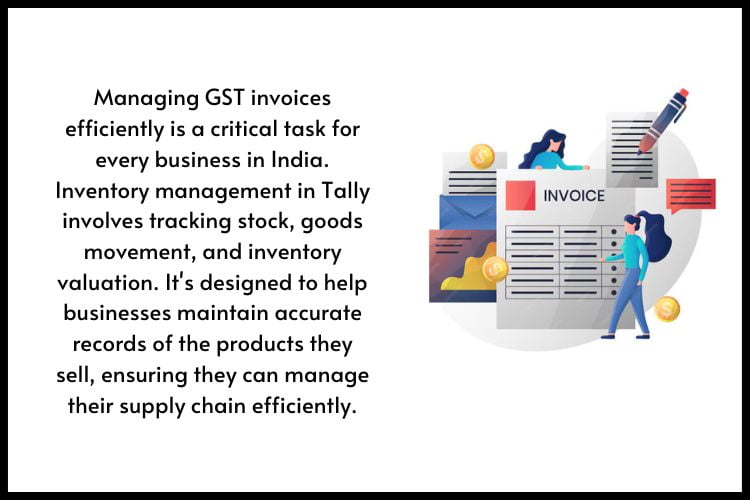
Inventory management in Tally tracks stock, goods movement, and inventory valuation. It’s essential for product-based businesses but unnecessary for service-based companies that don’t deal with physical inventory.
Why Might You Want to Manage GST Invoices Without Inventory?
Service-based businesses consulting, freelancing, software development, training, don’t sell physical products. Inventory features add unnecessary complexity. By eliminating them, you:
- Reduce system complexity
- Minimize data entry errors
- Focus on service delivery
- Streamline workflow
Can You Use Tally Prime Without Inventory?
Yes, absolutely. Tally Prime is engineered with flexibility. You can disable inventory features entirely and still access invoicing, GST compliance, financial reporting, and accounting functions.
Service-based businesses using non-inventory mode still get:
- Professional invoice generation
- Automatic GST calculations
- Complete ledger management
- GST return filing support
- Comprehensive audit trails
How to Configure Tally for Non-Inventory Businesses
Setting up Tally Prime without inventory takes just minutes:
Step 1: Launch Tally Prime and open Gateway of Tally
Step 2: Press F11 to access Features configuration
Step 3: Under “Inventory Features,” disable:
- Bill-wise Details
- Batch-wise Details
- Godown/Warehouse
- Material Master
Step 4: Keep GST enabled for tax calculations and compliance
Step 5: Press Ctrl+A to save configuration changes
Note: If you’re using Tallystack’s cloud platform, this configuration is handled seamlessly, and you can start maintaining invoices immediately without worrying about technical setup.
Steps to Maintain GST Invoices Without Inventory in Tally
Creating Invoices
- Go to Gateway of Tally > Invoicing > Sales
- Select Cash or Credit Sales
- Enter customer name and GSTIN
- Input service description (instead of product names)
- Enter quantity, rate, and amount
- Select appropriate GST rate and HSN/SAC code
- Tally automatically calculates CGST/SGST
- Press Ctrl+A to save and generate invoice
Managing Multiple Invoices
- Automatic sequential invoice numbering
- Duplicate prevention alerts
- Quick copy feature for similar services
- Batch operations for efficiency
Benefits of Using Tally Without Inventory for GST Invoices
Using Tally without inventory management comes with several benefits:
Simplified workflow – Focus only on invoicing and GST
Time-saving – No stock tracking, faster processing
Cost-efficient – Avoid unnecessary tools and training
Better compliance – Automatic GST validation and calculations
Business agility – Launch services quickly, adjust pricing flexibly
Common Challenges Faced and How to Overcome Them
| Challenge | Solution |
| Configuration confusion | Follow step-by-step guide; contact Tally support if needed |
| Wrong GST rates | Maintain HSN/SAC reference document; verify on GST portal |
| Invoice customization | Use F12 feature to add service-specific fields |
| Payment term management | Configure credit periods in customer master |
| Service deductions | Create specific expense ledgers with proper documentation |
 Best Practices for Managing GST Invoices in Tally
Update regularly – Enable automatic updates for latest GST rules
Verify details – Double-check GSTIN, service description, and rates before finalizing
Maintain digital records – Save and backup all invoices in cloud storage
File on time – Submit GSTR-1 (11th) and GSTR-3B (20th) by deadlines
Monthly reconciliation – Compare invoices with GST ledger entries
Quarterly audits – Review invoices, rates, and GSTR entries every three months
Document everything – Keep customer GST certificates, agreements, and payment receipts
Conclusion
Managing GST invoices without inventory in Tally Prime is the optimal solution for service-based businesses and freelancers. You get full GST compliance, professional invoicing, and regulatory adherence without unnecessary complexity.By leveraging Tallystack’s trusted Tally on Cloud platform, you gain the added benefits of anytime-anywhere access, 24/7 expert support, and enterprise-grade security making it the complete solution for modern Indian businesses seeking reliable, scalable cloud-based
Key takeaways:
- Tally Prime works perfectly without inventory
- Configuration takes just minutes
- GST compliance is automated
- Best practices ensure audit readiness
- Perfect for consultants, freelancers, and service providers
Start using Tally Prime today and experience streamlined accounting tailored to your business model.
Frequently Asked Questions
Q1. Can Tally Prime be used by service-based businesses?
Yes, Tally Prime is highly adaptable and can be used by service-based businesses without requiring inventory management.
Q2. How do I disable inventory in Tally Prime?
You can disable inventory in Tally Prime by going to the Gateway of Tally, selecting F11 (Features), and disabling the inventory options.
Q3. Can I generate GST-compliant invoices in Tally without inventory?
Absolutely! Tally allows you to generate GST-compliant invoices even if you don’t manage inventory.
Q4. What are the benefits of not using inventory in Tally?
Not using inventory simplifies your accounting processes, saves time, and reduces unnecessary complexity.
Q5. Is Tally Prime suitable for freelancers?
Yes, Tally Prime is an excellent choice for freelancers and service providers who need to manage their finances and GST compliance without inventory.