
Tally on Cloud vs Traditional Tally: Which Is Best for Growing Businesses in 2026?

As we move into 2026, growing businesses face increasing pressure to operate faster, smarter, and more efficiently than ever before. Digital transformation, remote work, multi-location operations, and rising data security requirements are reshaping how companies manage their accounting systems. Traditional desktop-based accounting software that once served businesses well is now struggling to keep pace with modern operational demands.
Tally has long been a trusted accounting platform for Indian businesses. However, the way Tally is deployed has evolved. Today, companies can choose between Traditional Tally, installed on local computers or office servers, and Tally on Cloud, where the software is hosted on secure cloud servers and accessed remotely.
This blog compares Tally on Cloud and Traditional Tally in detail to help growing businesses decide which option is best for 2026 and beyond.
Understanding Traditional Tally
Traditional Tally refers to installing TallyPrime or Tally ERP directly on office computers or local servers. Data is stored within the office network and accessed primarily from on-site systems.
How Traditional Tally Works
- Tally software is installed on individual computers or a central office server.
- Data is stored locally on hard drives or internal servers.
- Users access the system only from machines connected to the office network.
- Backups are handled manually or through local storage devices.
- Maintenance depends on in-house IT support.
Advantages of Traditional Tally
- Full control over local data storage
- No dependency on the internet for local usage
- Familiar working environment
- One-time license investment
Limitations of Traditional Tally
- High hardware and maintenance costs
- Limited remote accessibility
- Risk of data loss due to hardware failure
- Manual backup management
- Difficult scalability
- Dependency on physical office infrastructure
For growing businesses, these limitations often create operational bottlenecks.
Understanding Tally on Cloud
Tally on Cloud involves hosting the same Tally software on a secure cloud server. Users can access Tally remotely using an internet connection from any location.
How Tally on Cloud Works
- Tally is installed on a cloud-based virtual server.
- Data is stored securely in remote data centers.
- Authorized users log in remotely using secure credentials.
- Multiple users can work simultaneously on the same data.
- Backups and security are automated.
Key Advantages of Tally on Cloud
- Anytime, anywhere access
- Lower infrastructure investment
- Automated backups and security
- Easy scalability
- Real-time collaboration
- Minimal IT management
Cloud-based Tally provides flexibility and reliability that traditional systems struggle to offer.
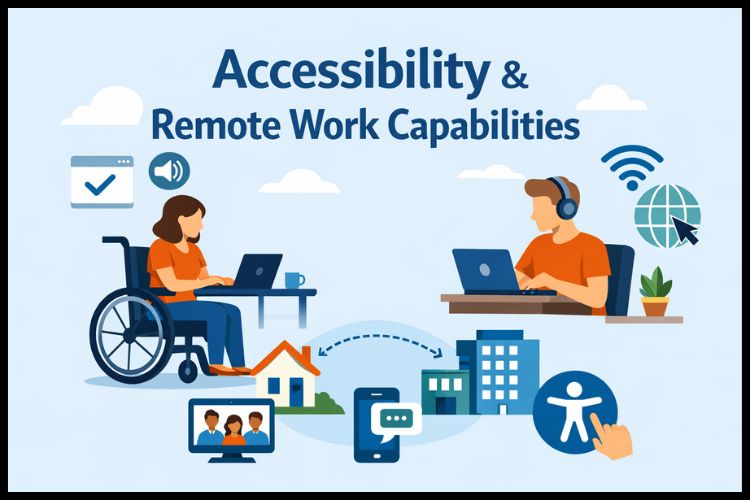
Accessibility and Remote Work Capabilities
Traditional Tally
Traditional setups restrict users to office systems. Remote access requires complex VPN setups or remote desktop configurations, which are often slow, insecure, and difficult to maintain.
This makes it challenging for:
- Remote employees
- Traveling business owners
- External auditors
- Multi-branch operations
Tally on Cloud
Cloud hosting allows secure access from anywhere. Users simply log in via the internet and continue working seamlessly.
Benefits include:
- Real-time access to financial data
- Faster collaboration
- Business continuity during disruptions
- Work From Home Accounting with Tally on Cloud
In 2026, when remote and hybrid work models are common, cloud accessibility is a major advantage.
Cost Comparison and Financial Impact
Traditional Tally Costs
Traditional setups involve:
- Purchasing servers and hardware
- Power backup systems
- Networking infrastructure
- IT maintenance and upgrades
- Manual backup solutions
- Office space for hardware
These costs accumulate over time and increase as the business grows.
Tally on Cloud Costs
Cloud hosting operates on a subscription model, reducing capital investment.
Benefits include:
- No hardware purchases
- Lower maintenance costs
- Predictable monthly expenses
- Easy scalability
- Reduced downtime losses
Over the long term, Tally on Cloud usually delivers a lower total cost of ownership.
Data Security and Backup Reliability
Traditional Tally Security Risks
- Hardware failures
- Theft or physical damage
- Inconsistent backups
- Limited disaster recovery options
- Vulnerability to cyber threats
Many small businesses lack a dedicated cybersecurity infrastructure.
Tally on Cloud Security Benefits
- Encrypted data transmission
- Automated daily backups
- Firewalls and monitoring
- Disaster recovery systems
- Role-based access control
Cloud environments often provide higher security standards than on-premise systems.
Scalability and Business Growth
Traditional Tally Challenges
Scaling requires:
- Purchasing new hardware
- Network upgrades
- Additional maintenance
- System downtime during upgrades
This makes expansion expensive and time-consuming.
Tally on Cloud Scalability
Cloud environments allow:
- Instant user expansion
- Storage upgrades on demand
- Performance scaling without downtime
- Easy multi-branch connectivity
This flexibility supports growing businesses efficiently.
Collaboration and Multi-User Access
Traditional Tally
Multi-user access requires local networking and is limited by physical infrastructure.
Challenges include:
- Slow network performance
- Restricted remote collaboration
- Higher setup complexity
Tally on Cloud
Cloud hosting enables seamless multi-user access from multiple locations.
Benefits include:
- Real-time collaboration
- Centralized data management
- Faster reporting
- Support for distributed teams
Businesses can select appropriate options, such as a Tally on cloud multiuser pricing plan based on team size and workload.
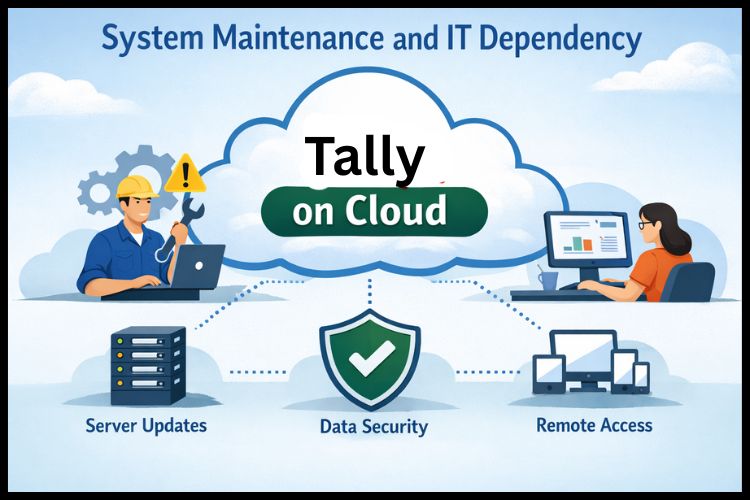
System Maintenance and IT Dependency
Traditional Tally
- Manual updates
- Hardware troubleshooting
- Backup management
- Virus protection
- Dedicated IT resources
This increases operational overhead.
Tally on Cloud
Offers:
- Automatic updates
- Server monitoring
- Managed backups
- Reduced IT involvement
- Faster issue resolution
This simplifies management and improves reliability.
Performance and Reliability
Traditional Tally
Performance depends on local hardware quality. Older systems may experience slowdowns during peak workloads or when processing large amounts of data.
Tally on Cloud
Cloud servers are optimized for performance and can handle heavy workloads efficiently with stable uptime.
Ease of Adoption and Training
Users familiar with Tally find the cloud transition easy because the interface remains the same. Businesses can request a Tally on Cloud demo to evaluate system performance, user experience, and accessibility before full adoption.
Which Option Is Best for Growing Businesses in 2026?
Traditional Tally Is Suitable If:
- You operate from a single location
- Internet availability is unreliable
- Data must remain strictly on-site
- User count is limited
Tally on Cloud Is Best If:
- Your team works remotely or across locations
- You want predictable operational costs
- Data security and backups are priorities
- Scalability is essential
- Collaboration and mobility matter
For most growing businesses in 2026, cloud-based Tally offers better flexibility, cost efficiency, and operational resilience.
Future Outlook: Cloud as the New Standard
As businesses continue adopting digital workflows, cloud-based accounting will become the default choice. Integration with automation, analytics, and AI-driven tools will further enhance productivity and decision-making.
Traditional systems may gradually become obsolete for companies aiming to remain competitive.
Conclusion
Choosing between Tally on Cloud and traditional Tally depends on your business goals and growth plans. While traditional systems may suit small, single-location businesses, Tally on Cloud delivers better scalability, security, flexibility, and cost efficiency for growing organizations in 2026. By adopting a reliable cloud solution like Tallystack, businesses can streamline operations, improve collaboration, and achieve long-term digital success.
Frequently Asked Questions
Q1: How does Tally on Cloud support work-from-home accounting?
Tally on Cloud allows users to securely access accounting data from anywhere with an internet connection, making remote work easy and efficient.
Q2: Can multiple team members work on the same Tally data remotely?
Yes, multiple users can access the same data in real time from different locations.
Q3: Is Tally on Cloud secure for remote access?
Yes, it uses encrypted connections, secure logins, and automated backups to protect data.
Q4: Do I need special software to work from home on Tally on Cloud?
No, you only need a basic computer and a stable internet connection.
Q5: Can I monitor business reports while working remotely?
Yes, you can view live reports, sales data, and financial statements from anywhere.