
What are the differences between Tally ERP9 and TallyPrime?
Introduction
In the ever-evolving landscape of business accounting software, Tally Solutions Pvt. Ltd.’s Tally ERP9 and TallyPrime are two of its most well-known products. While both versions are designed to streamline and automate financial operations, significant differences exist in their features, usability, and technological advancements.This blog aims to delve into these differences, along with discussing the disadvantages and advantages of Tally ERP9 and highlighting the features of TallyPrime. Our exploration will assist businesses in making an informed decision regarding which software better suits their accounting and financial management needs.
What is Tally ERP 9
A complete enterprise resource planning (ERP) solution for small and medium-sized enterprises is Tally ERP 9. It facilitates the management of payroll, taxes, inventory, accounting, and much more on a single platform. Tally ERP 9, renowned for its ease of use and flexibility, has long been the preferred accounting program among businesses worldwide.
Differences between Tally ERP9 and TallyPrime
Below is a table outlining eight key differences between Tally ERP9 and TallyPrime:
| Feature | Tally ERP9 | TallyPrime |
|---|---|---|
| User Interface | Traditional, with a complex navigation system. | Modern and intuitive, with simplified navigation. |
| Data Access | Requires navigating through multiple menus. | Direct access to reports from any screen using the Go To feature. |
| Multi-Tasking | Limited; users need to close one task to start another. | Enhanced; allows users to work on multiple reports simultaneously. |
| Reporting | Basic reporting capabilities. | Advanced reporting with more customization options. |
| Error Detection | Manual checking is required for errors. | Automatic error detection and correction suggestions. |
| Remote Access | Available but not as streamlined. | Enhanced remote access capabilities for easier collaboration. |
| Speed and Performance | Good performance, but can be slow with large data sets. | Improved speed and efficiency, even with large volumes of data. |
| Update and Support | Regular updates, with manual installation. | Automatic updates with active support for smoother operation. |
Advantages and Disadvantages of Tally ERP9
Disadvantages of Tally ERP9
1. Complex User Interface
Tally ERP9 has a traditional interface, which new users may find complex and difficult, requiring a steep learning curve to navigate effectively through its numerous features.
2. Limited Remote Working Capabilities
Even while it allows remote access, the setup and performance are not as effective as what modern businesses need, particularly in light of the growing popularity of remote work.
3. Manual Error Detection
Users often need to manually check for errors in entries and reports, which can be time-consuming and increase the risk of unnoticed mistakes.
4. Less Efficient Multitasking
The inability to work on many screens or tasks at once might reduce productivity by requiring users to finish one job before going on to another.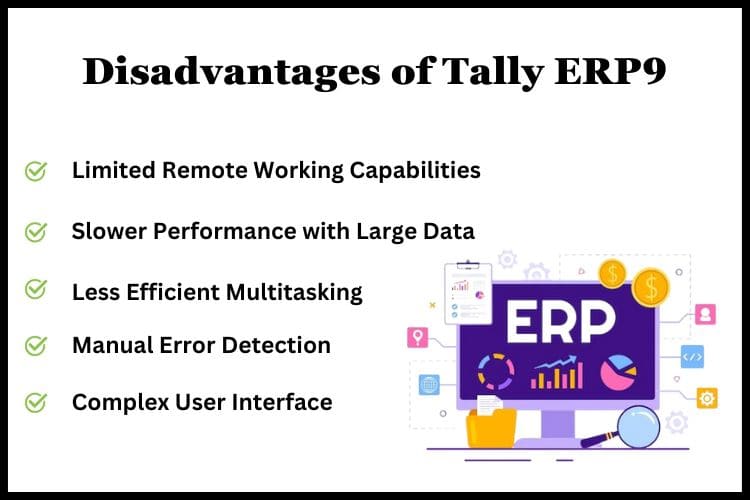
5. Slower Performance with Large Data
For businesses with extensive data, Tally ERP9 can experience slower performance, affecting overall productivity and user experience.
Advantages of Tally ERP9
1. Robust Financial Management
Tally ERP9 excels in managing complex financial operations, offering comprehensive tools for accounting, inventory management, and tax compliance.
2. Extensive Customization
Businesses can customize Tally ERP9 extensively to suit their specific needs, making it a versatile tool for various industries.
3. Strong Market Presence
Its long-standing presence in the market has created a vast user community and a wealth of resources for troubleshooting and learning.
4. Cost-Effective Solution
Tally ERP9 is a cost-effective accounting solution for small to medium-sized businesses, offering significant features without a high price tag.
5. Reliable Data Security
With robust security features, Tally ERP9 ensures the safety and integrity of business data, protecting against unauthorized access and data breaches.
What are the Features of TallyPrime?
1. Simplified Navigation
TallyPrime introduces an intuitive and streamlined user-based cloud, making it easier for users to find and utilize various features efficiently.
2. Enhanced Reporting
With advanced reporting capabilities, TallyPrime offers more depth and customization in reports, aiding better business decision-making.
3. Go To Feature
The innovative ‘Go To’ feature allows for quick access to any report or page from anywhere within the application, enhancing productivity.
4. Improved Multi-Tasking
Users can now work on multiple reports or tasks simultaneously without the need to close or lose progress on the current task.
5. Automatic Error Detection
TallyPrime can automatically detect and suggest corrections for errors in data entry, significantly reducing the chances of mistakes.
Conclusion
Tally ERP9 and TallyPrime each serve the evolving needs of businesses with their unique sets of features, advantages, and disadvantages. While Tally ERP9 offers robustness and customization, TallyPrime introduces a more user-friendly interface and efficiency enhancements.The choice between the two ultimately depends on the specific needs, size, and working environment of the business. With TallyPrime, Tally Solutions Pvt. Ltd. has taken a significant step forward, meeting the modern demands of efficiency, accessibility, and usability in cloud-based accounting software. Make your Tally more efficient by hosting your version of Tally on cloud. For Free Tally Prime on Cloud Live Demo or details about Tally on Cloud prices visit Tallystack Today.
Frequently Asked Questions
Q.1 Can I upgrade from Tally ERP9 to TallyPrime?
Yes, existing Tally ERP9 users can upgrade to TallyPrime, with Tally Solutions providing resources and support for a smooth transition.
Q.2 Is TallyPrime more expensive than Tally ERP9?
Pricing may vary based on the version and features chosen. However, TallyPrime offers more advanced features, which may be reflected in its pricing structure.
Q.3 Will my data be secure if I switch to TallyPrime?
Yes, TallyPrime continues Tally’s legacy of providing robust data security and integrity features to protect your business information.
Q.4 Can I use TallyPrime for inventory management?
TallyPrime offers comprehensive features for inventory management, including advanced reporting and real-time tracking.
Q.5 Is TallyPrime suitable for small businesses?
Yes, TallyPrime is designed to cater to businesses of all sizes, including small businesses, with scalable features and an intuitive interface for ease of use.